This is a partial user and operations guide. The full guide is available to platform subscribers and active users only. We publish this public selection so evaluators get an initial sense of capabilities and workflows. Private guide content may change with ongoing product improvements.
Chat
Non-admin users assign work here, not in the Console. There are two conversation UIs in Development; both talk to the same Conversation Gateway (society-chat, OpenAI-compatible API).
Endpoints
| Environment | Primary conversation UI | Alternate conversation UI | Gateway |
|---|---|---|---|
| Development | http://127.0.0.1:3000 (separate stack) | http://127.0.0.1:3080 (separate stack) | http://127.0.0.1:8094/v1 |
| Client (IdentIA) | copilot host (OIDC) | chat host → :3080; admin :3081 | society-chat:8094/v1 |
OpenAI-compatible connection (what each UI configures toward SiS):
- Base URL:
…/v1(Dev from host:http://127.0.0.1:8094/v1; inside the orchestrator network:http://society-chat:8094/v1) - API key:
SOCIETY_CHAT_API_KEY(may be empty in Dev) - Models:
society/*ids fromGET /v1/models
Whether to standardise on one conversation UI or keep both is an open product decision. Today both coexist.
Primary conversation UI — step by step (Dev)
This UI is not society-chat. Connections and models live in its local database, not in the main bundle environment.
1. Start and authenticate
- Check it responds:
curl -sf http://localhost:3000/→200. - Open
http://localhost:3000(not127.0.0.1— SSO redirect is registered forlocalhost). - If you see Continue with IdentIA, complete OIDC (same account as the Console where SSO is enabled).
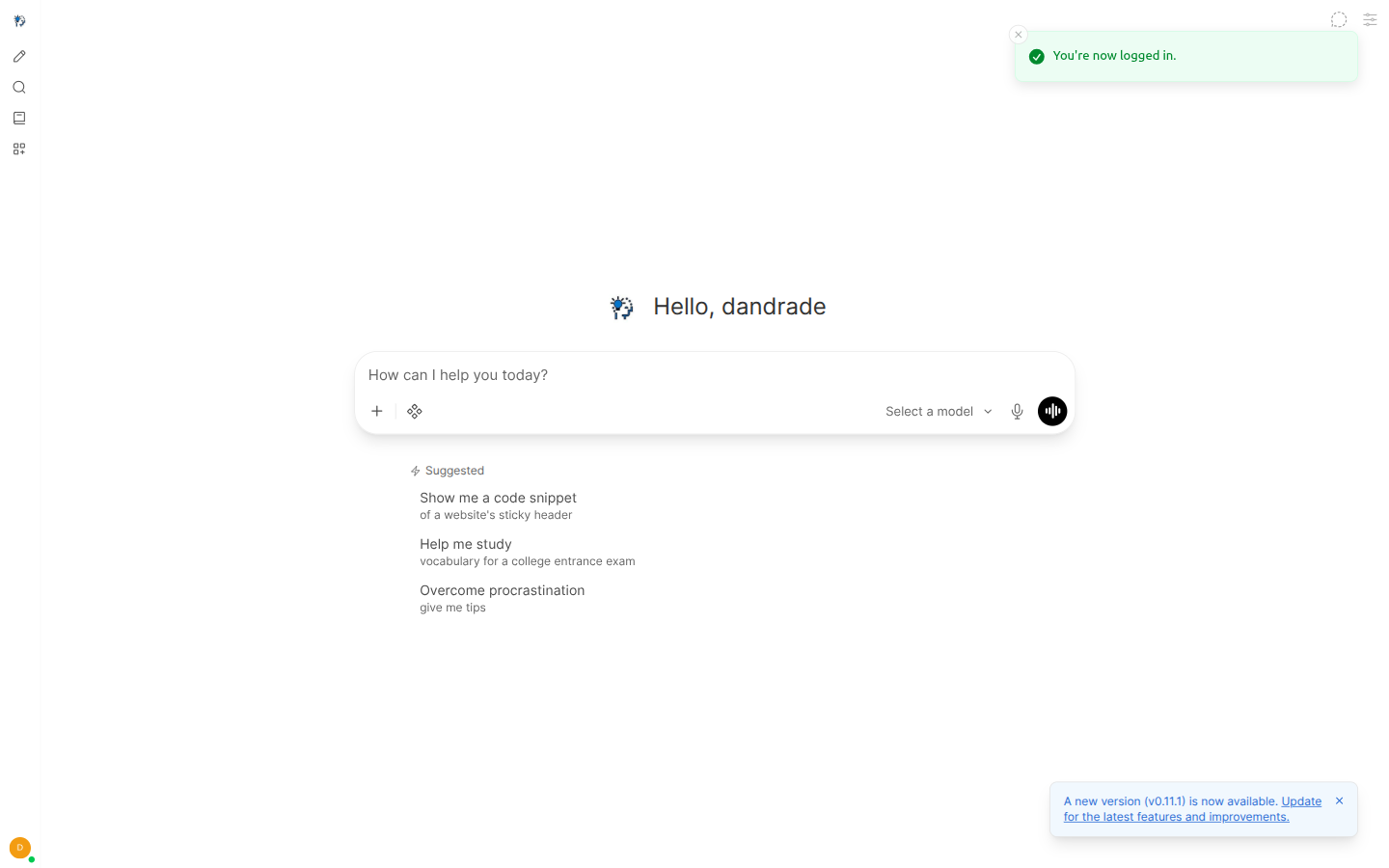
2. Connect the Conversation Gateway
- Admin (or gear) → Settings → Connections.
- Add connection → OpenAI / OpenAI-compatible.
- Fill in:
| Field | Dev value |
|---|---|
| URL / Base URL | http://society-chat:8094/v1 from the conversation UI container network. Dev shortcut: docusaurus/scripts/sync-conversation-ui-society-key.sh writes the same into the UI database. |
| API Key | SOCIETY_CHAT_API_KEY from .env (re-run sync after key rotation) |
| Model IDs | leave discovery via GET /v1/models |
- Save and Verify if offered.
Empty model list: connection not saved or URL does not reach
society-chatfrom the UI container.
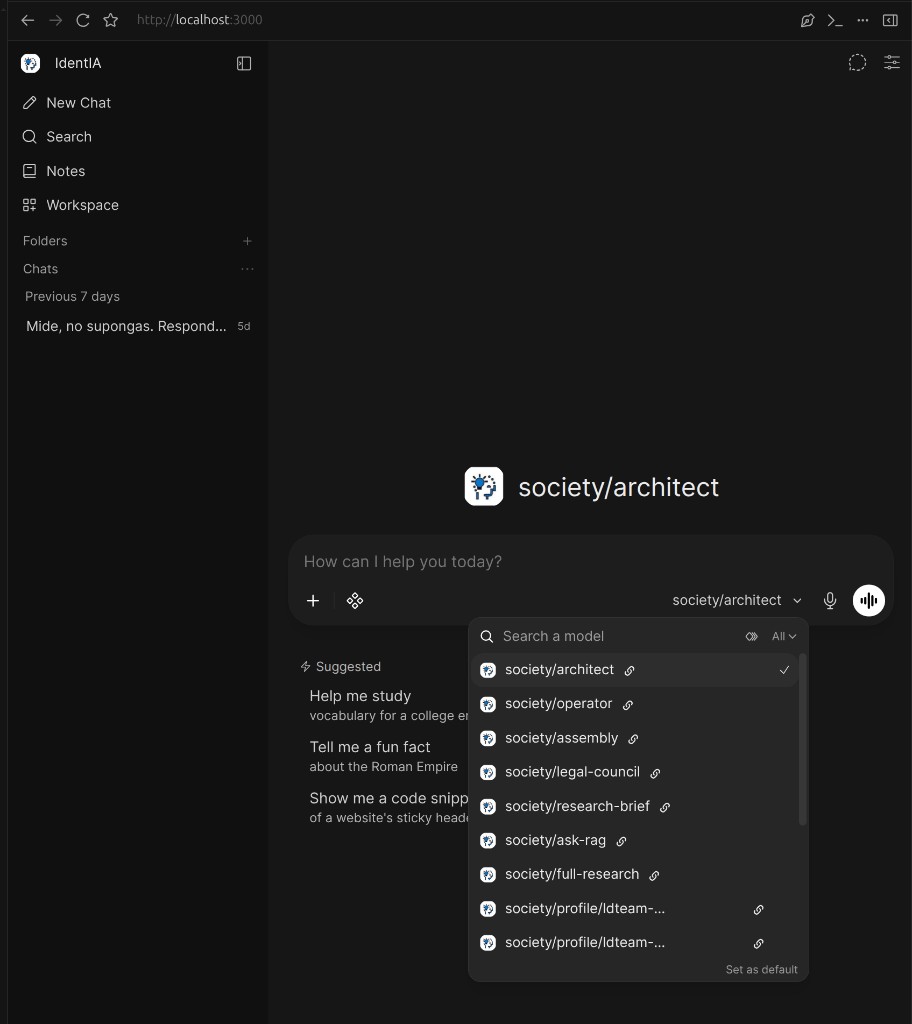
In the screenshot: after saving the gateway connection, the Search a model dropdown (left of the mic in the chat bar) lists
society/*ids (e.g.society/ask-rag,society/architect).
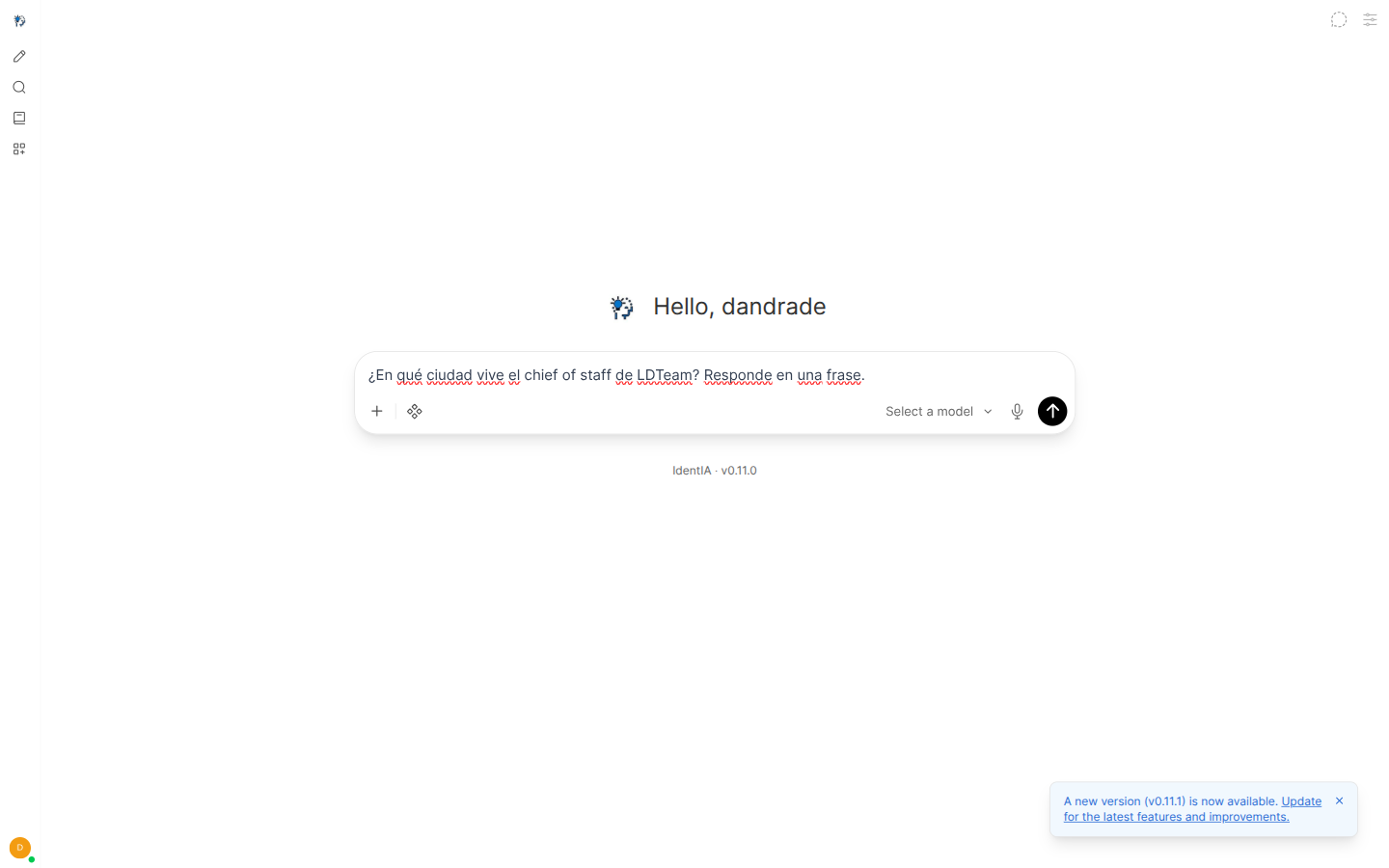
3. Pick a model and chat
- In the chat bar, open the model selector to the left of the mic.
- In Search a model, choose per the table below.
- Type the prompt and send.
| Model | When to use |
|---|---|
society/architect | Institution intake; persists the SPEC (curated door to the Primary architect) |
society/operator | Chat with the Primary operator |
society/ask-rag | RAG query for the researcher in SOCIETY_CHAT_RESEARCH_BRIEF_* |
society/research-brief | Researcher → writer → auditor pipeline; auto-RAG when corpus exists |
society/profile/<host>/<profile> | Direct chat with a live profile |
Alternate conversation UI — step by step (Dev)
Separate compose project (not part of the main R6 bundle). Requires the external network self-improving-society_default (SiS already up).
The gateway connection is pre-wired in its config (endpoint SIS → http://society-chat:8094/v1, fetch: true for society/* models). No manual Connections step like the primary UI.
1. Start the stack
cd infra/conversation-ui
cp .env.example .env   # fill secrets; SOCIETY_CHAT_API_KEY = same as SiS root .env
container orchestration up -d
# UI:    http://127.0.0.1:3080
# Admin: http://127.0.0.1:3081
2. Authenticate (Dev with SSO)
- Open
http://127.0.0.1:3080/login. - Sign in with IdentIA (OIDC).
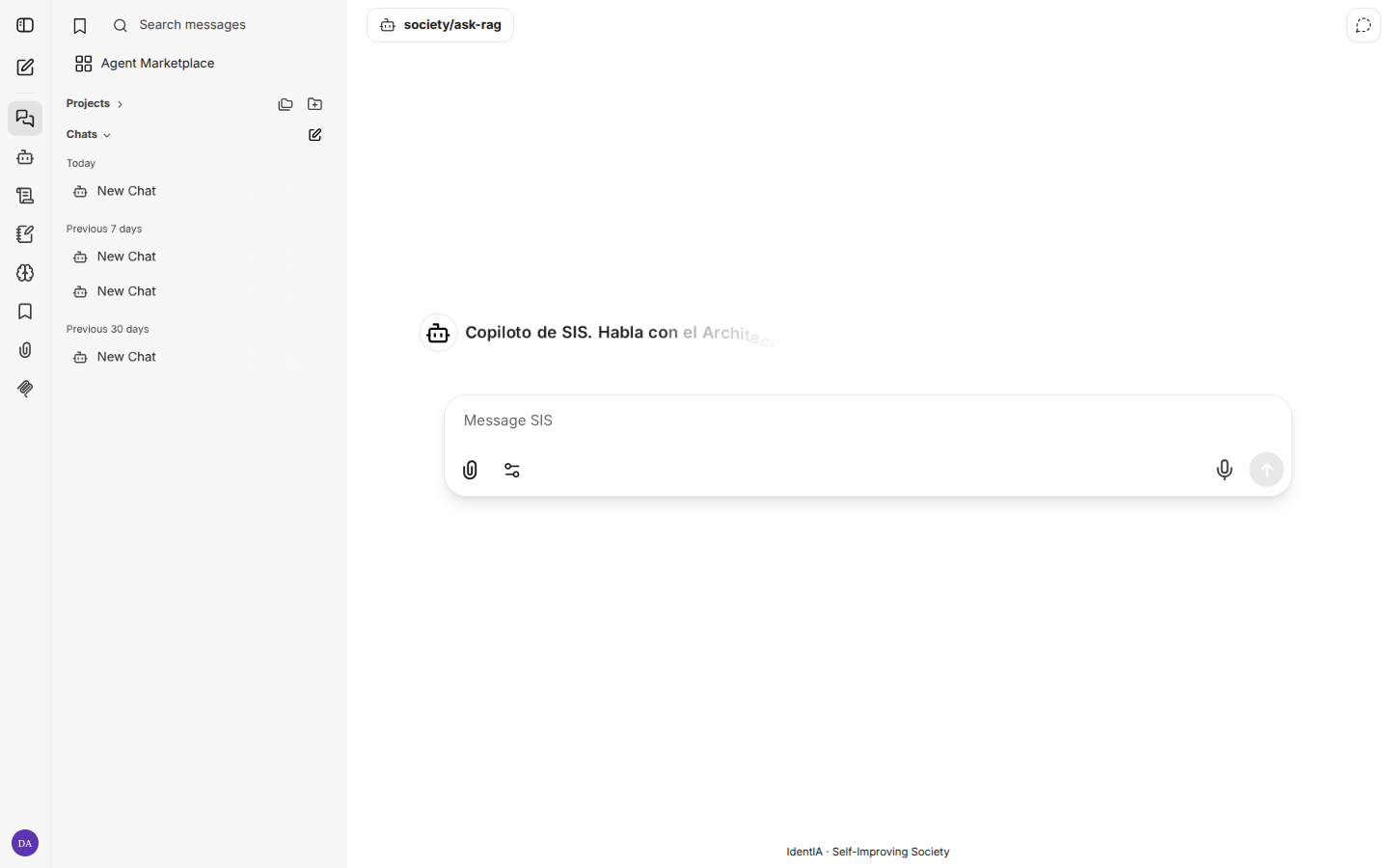
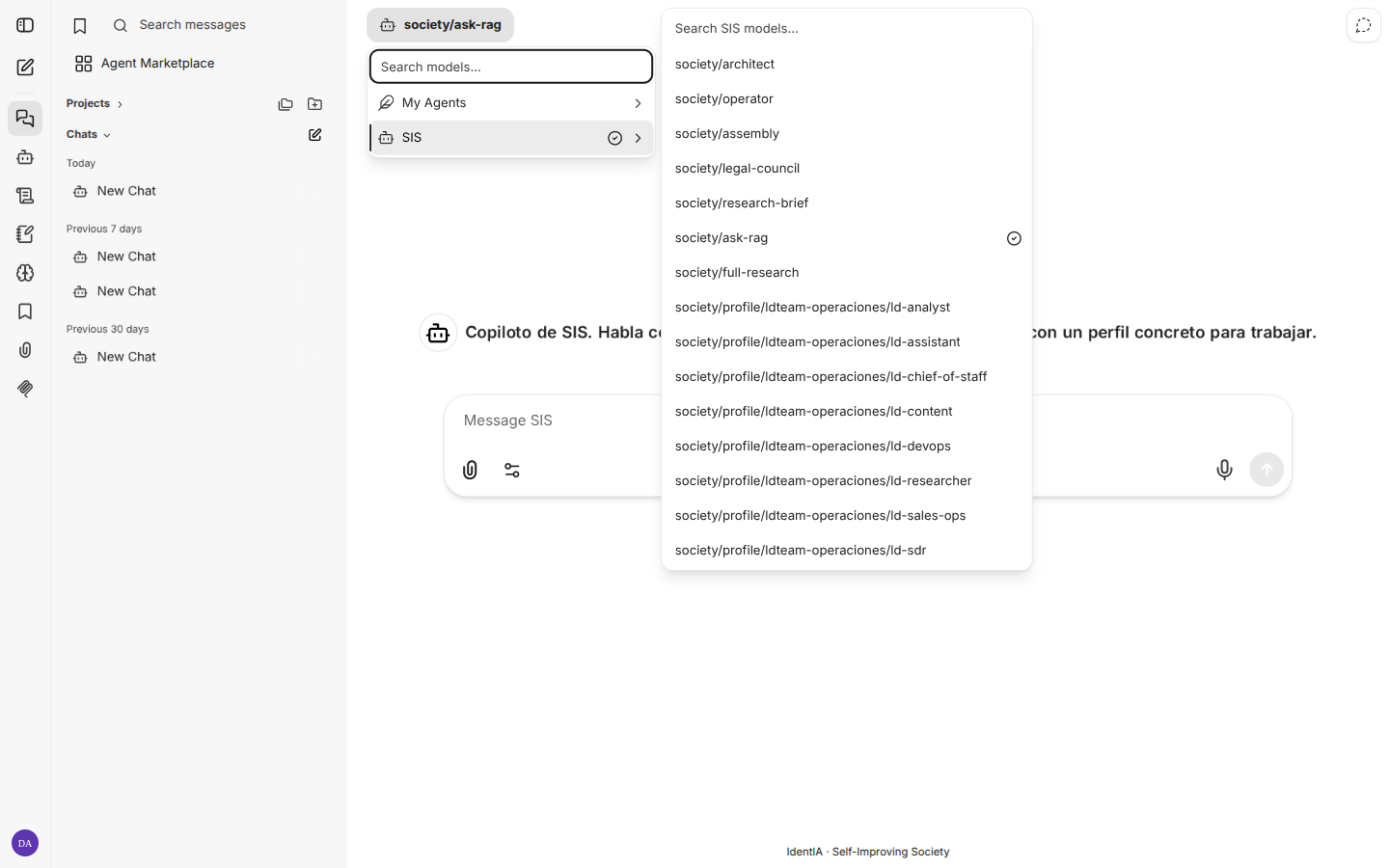
- After redirect you should see My Agents top left.
3. Pick agent and chat
This UI does not use Search a model (that is the primary UI). Flow in three steps:
- Click My Agents (top left).
- Choose endpoint SIS (pre-wired to
society-chat). - Pick an agent, e.g.
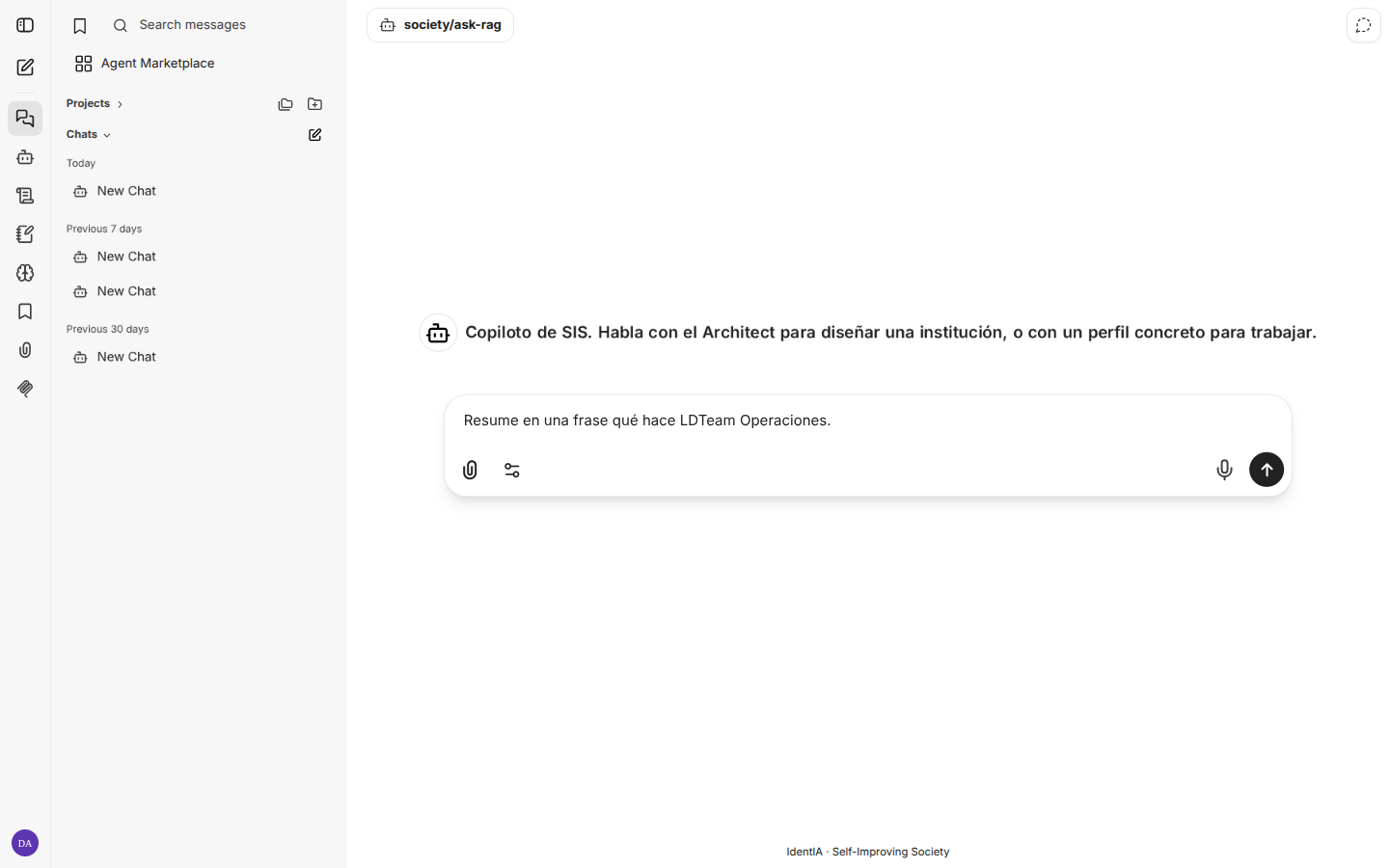
society/ask-rag.
Until step 3 the composer may show Please select an Agent and send stays disabled.
4. Admin panel (:3081)
User lifecycle for this UI only (not OIDC nor Console → Users). On client installs, reach it via VPN/SSH; not published on the edge proxy unless explicitly decided.
When to use which UI: same gateway. The alternate UI ships SIS endpoint, history search, and a local user admin panel; the primary UI is the default copilot in Dev (:3000) but needs manual Connections setup.
Console copilot widget
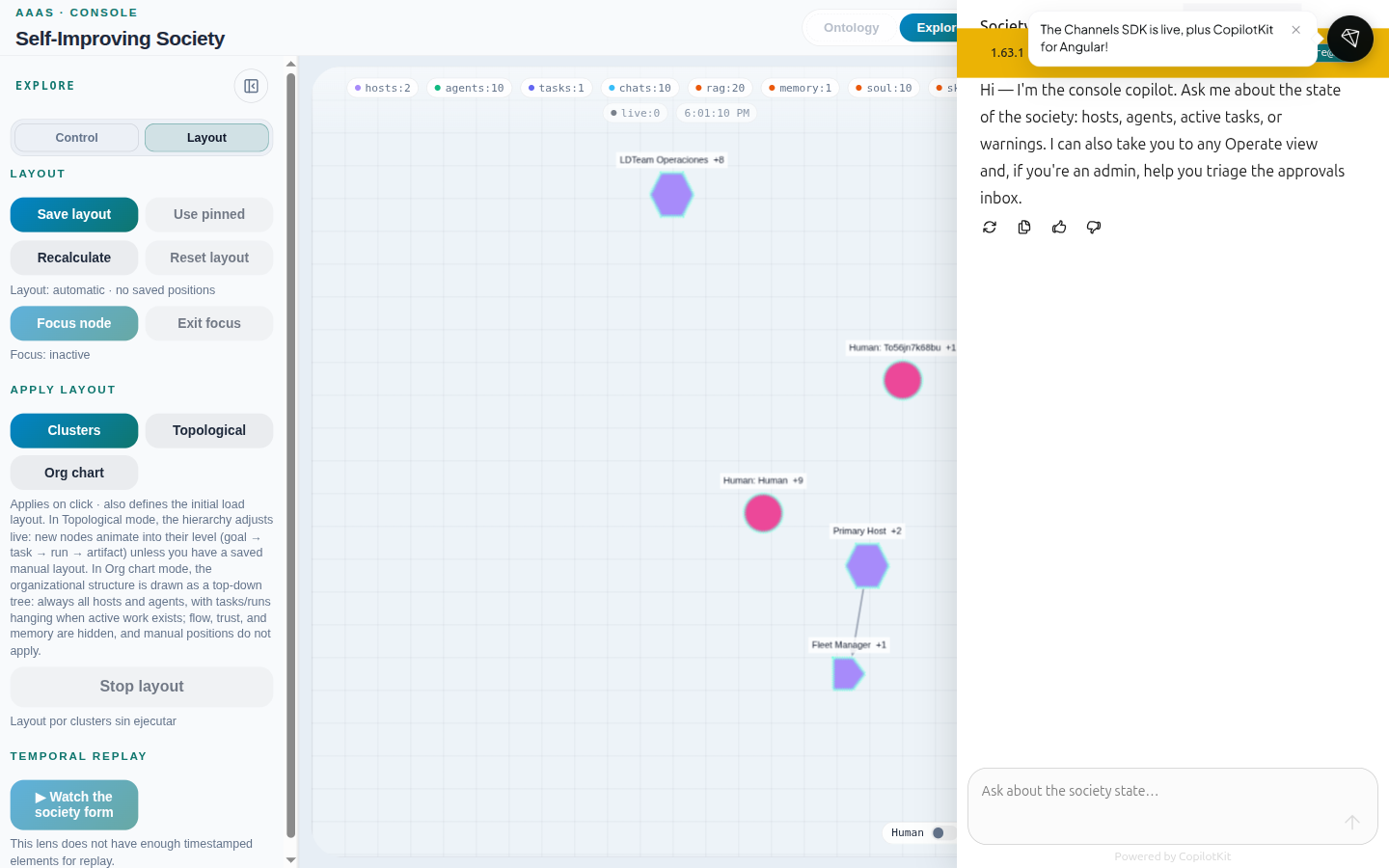
Teal bubble bottom-right in Operate and Explore — integrated copilot that:
- Reads the graph snapshot and current Operate view context.
- Answers state questions (hosts, agents, tasks, warnings).
- Can navigate to other Operate views (with permission).
- Admins: triage the Approvals queue.
Related: Operate → Sessions for society-chat threads in table form.
RAG query after ingest (E2E)
Chat does not use RAG just because corpus exists in the vector index. Two pieces are required:
- Ingest into the correct collection (RAGs).
- MCP
society_ragin the profile harness config (orask-rag/research-briefmode with env pointing at the right host/profile).
Option A — Unique code in markdown
| Step | Action | Verification |
|---|---|---|
| 1 | Ingest a .md with a unique code into the profile RAG | RAGs view: status ok; search returns the fragment |
| 2 | Confirm MCP on profile: society_rag in harness config | society profile show <profile> --host <host> via executor |
| 3 | Chat with society/profile/<host>/<profile> or society/ask-rag with SOCIETY_CHAT_RESEARCH_BRIEF_* | Response cites the ingested code |
| 4 | (Optional) Same prompt in primary conversation UI | Same citation |
Option B — PDF corpus + alternate UI + ask-rag
Legal corpus in the researcher RAG, queried via society/ask-rag (SOCIETY_CHAT_RESEARCH_BRIEF_* env).
| Step | Action | Verification |
|---|---|---|
| 1 | Copy PDF to data/rag-fixtures/ and ingest (SOCIETY_RAG_WRITE_ENABLED=true) | society rag list --profile … --host … shows chunks |
| 2 | Confirm env on society-chat | SOCIETY_CHAT_RESEARCH_BRIEF_HOST_NAME and PROFILES |
| 3 | Alternate UI: login → My Agents → SIS → society/ask-rag | Composer enabled |
| 4 | Ask about document content | Prose answer with chunk citation |
| Surface | URL | Use |
|---|---|---|
| Console widget | Bubble on :8093 | Session / snapshot context |
| Conversation Gateway | http://localhost:8094/v1 | UIs / curl |
| Primary conversation UI | http://localhost:3000 | End-user chat |
curl -sS http://127.0.0.1:8094/v1/models | jq '.data[].id' | head
What not to do
- Do not use
society/profile/<primary>/architector…/operatoron the Primary Host: curated doors aresociety/architectandsociety/operator. Raw architect chats but does not persist the SPEC. society/inventory-checkandsociety/debate-mapare retired.- CLI RAG ≠ chat RAG:
society rag listcan succeed while chat sees no corpus if MCPsociety_ragis missing on the profile.
Troubleshooting
| Symptom | Likely cause | Fix |
|---|---|---|
| Empty models in primary UI | No connection to :8094/v1 or stale key in UI DB | Settings → Connections or sync script; URL must reach society-chat from container |
| Response without RAG citations | Profile without society_rag or host/collection mismatch | Reprovision template; align host in ingest and MCP |
ask-rag answers wrong institution | SOCIETY_CHAT_RESEARCH_BRIEF_* misaligned | Recreate society-chat with correct env |
| 401 on Console copilot | Session expired | Re-login via localhost:8093 |
Regenerate screenshots (operators)
cd docusaurus
OPERAR_LOCALE=en node scripts/capture-explorar-chat.mjs
CHROME_USER_DATA=$HOME/.config/google-chrome CHROME_PROFILE=Default \
  node scripts/capture-operar-en.mjs
Output: static/img/chat/en/chat-step-*.png and static/img/operar/en/.