Chat
Non-admin users assign work here, not in the Console. There are two conversation UIs in Development; both talk to the same Conversation Gateway (society-chat, OpenAI-compatible API).
Related: Chat models · Ports · Sessions · RAGs.
Endpoints
| Environment | Primary conversation UI | Alternate conversation UI | Gateway |
|---|---|---|---|
| Development | http://127.0.0.1:3000 (separate stack) | http://127.0.0.1:3080 (separate stack) | http://127.0.0.1:8094/v1 |
| Client (IdentIA) | copilot host (OIDC) | chat host → :3080; admin :3081 | society-chat:8094/v1 |
OpenAI-compatible connection (what each UI configures toward SiS):
- Base URL:
…/v1(Dev from host:http://127.0.0.1:8094/v1; inside the orchestrator network:http://society-chat:8094/v1) - API key:
SOCIETY_CHAT_API_KEY(may be empty in Dev) - Models:
society/*ids fromGET /v1/models
Whether to standardise on one conversation UI or keep both is an open product decision. Today both coexist.
Primary conversation UI — step by step (Dev)
This UI is not society-chat. Connections and models live in its local database, not in the main bundle environment.
1. Start and authenticate
- Check it responds:
curl -sf http://localhost:3000/→200. - Open
http://localhost:3000(not127.0.0.1— SSO redirect is registered forlocalhost). - If you see Continue with IdentIA, complete OIDC (same account as the Console where SSO is enabled).
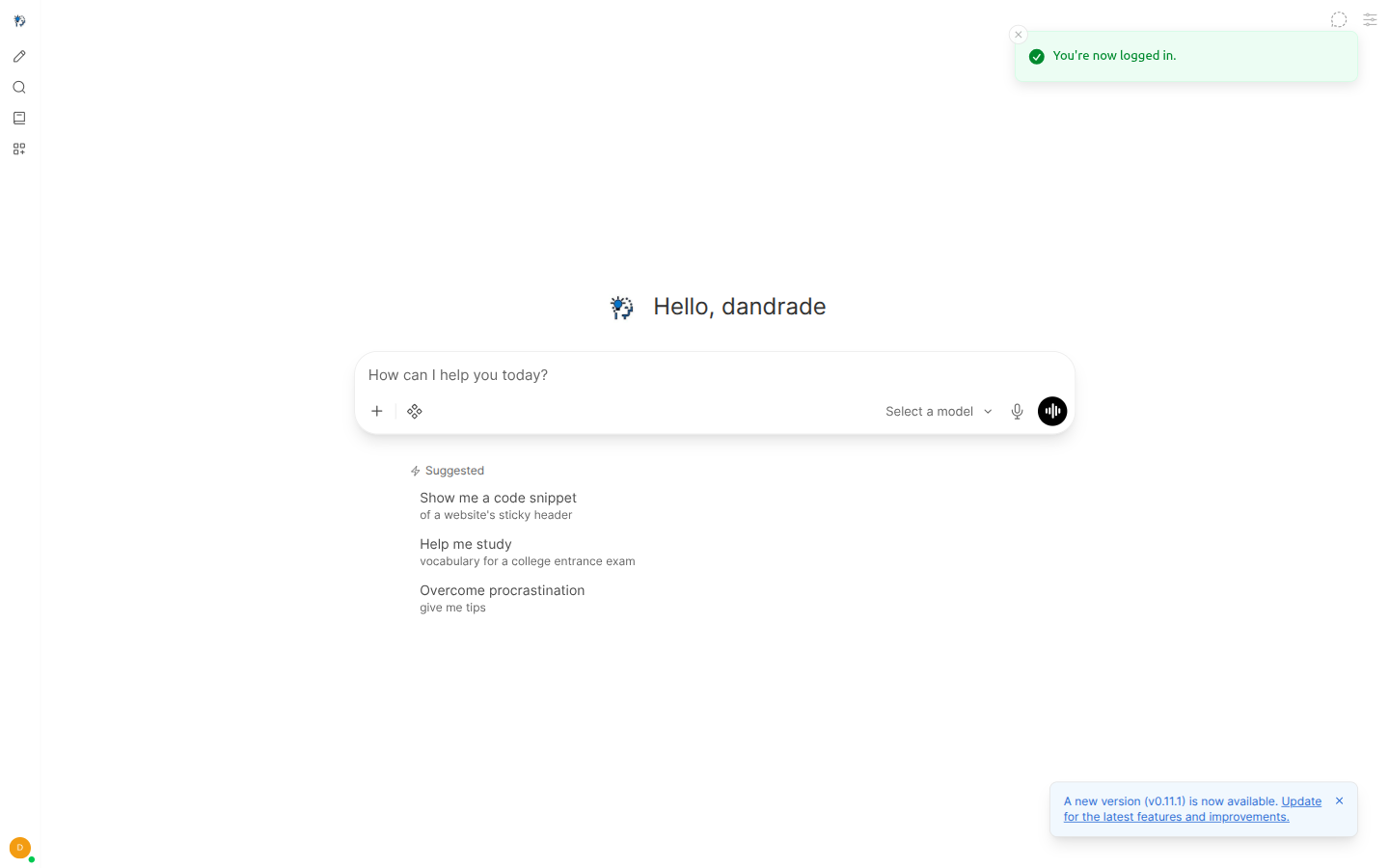
2. Connect the Conversation Gateway
- Admin (or gear) → Settings → Connections.
- Add connection → OpenAI / OpenAI-compatible.
- Fill in:
| Field | Dev value |
|---|---|
| URL / Base URL | http://society-chat:8094/v1 from the conversation UI container network. Dev shortcut: website/scripts/sync-conversation-ui-society-key.sh writes the same into the UI database. |
| API Key | SOCIETY_CHAT_API_KEY from .env (re-run sync after key rotation) |
| Model IDs | leave discovery via GET /v1/models |
- Save and Verify if offered.
Empty model list: connection not saved or URL does not reach
society-chatfrom the UI container.
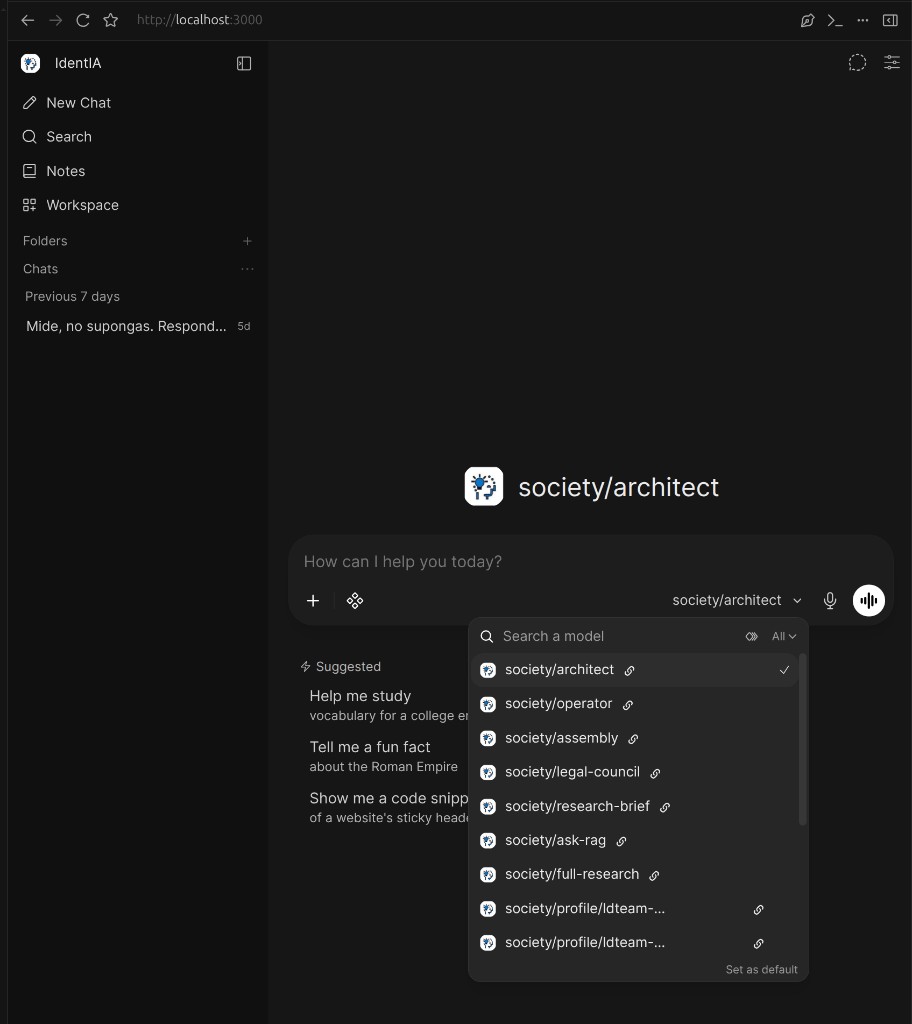
In the screenshot: after saving the gateway connection, the Search a model dropdown (left of the mic in the chat bar) lists
society/*ids (e.g.society/ask-rag,society/architect).
3. Pick a model and chat
- In the chat bar, open the model selector to the left of the mic.
- In Search a model, choose per the table below.
- Type the prompt and send.
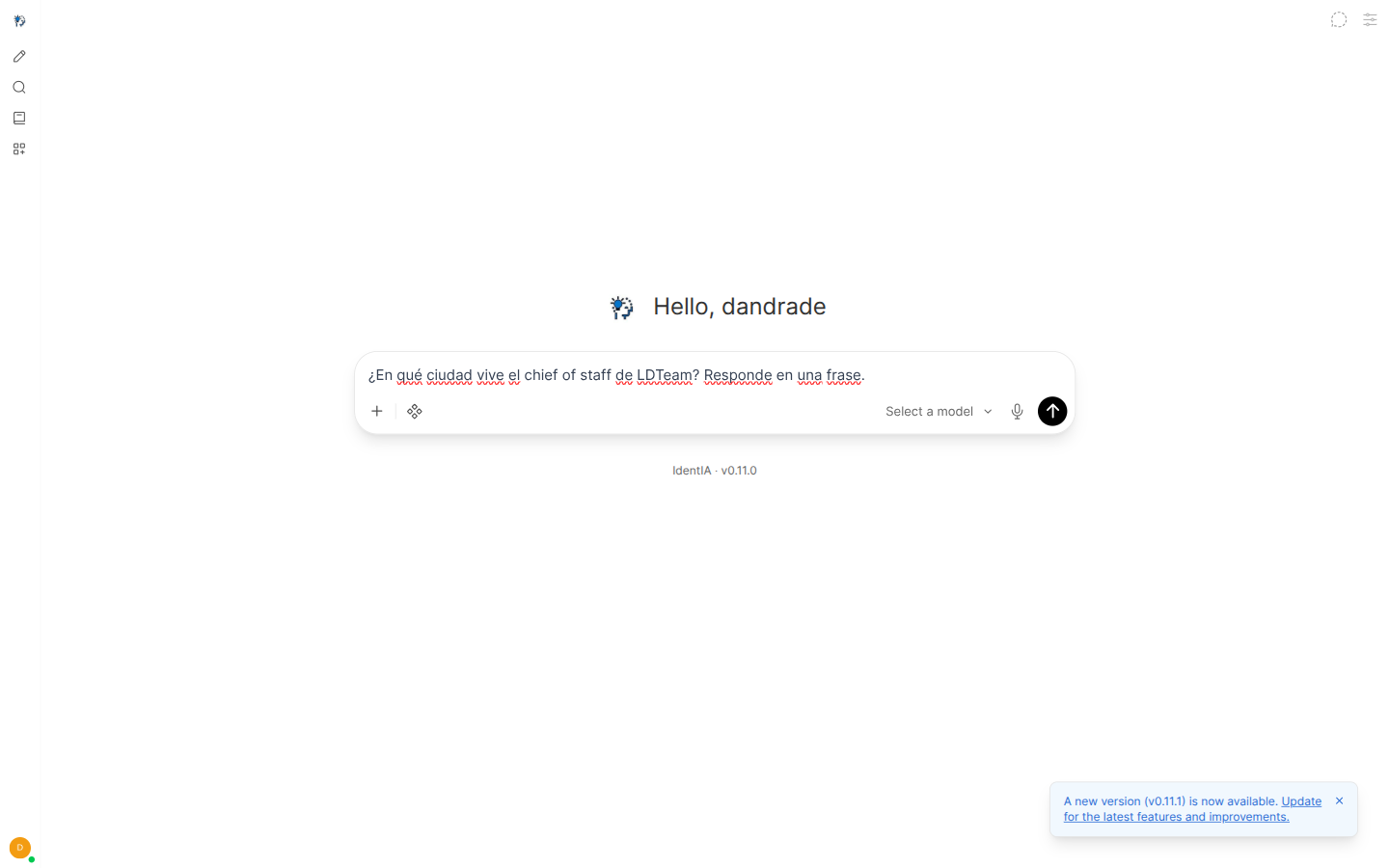
| Model | When to use |
|---|---|
society/architect | Institution intake; persists the SPEC (curated door to the Primary architect) |
society/operator | Chat with the Primary operator |
society/ask-rag | RAG query for the researcher in SOCIETY_CHAT_RESEARCH_BRIEF_* |
society/research-brief | Researcher → writer → auditor pipeline; auto-RAG when corpus exists |
society/profile/<host>/<profile> | Direct chat with a live profile |
Full list and hidden aliases: Chat models.
Alternate conversation UI — step by step (Dev)
Separate compose project (not part of the main R6 bundle). Requires the external network self-improving-society_default (SiS already up).
The gateway connection is pre-wired in its config (endpoint SIS → http://society-chat:8094/v1, fetch: true for society/* models). No manual Connections step like the primary UI.
1. Start the stack
cd infra/conversation-ui
cp .env.example .env   # fill secrets; SOCIETY_CHAT_API_KEY = same as SiS root .env
containers compose up -d
# UI:    http://127.0.0.1:3080
# Admin: http://127.0.0.1:3081
2. Authenticate (Dev with SSO)
- Open
http://127.0.0.1:3080/login. - Sign in with IdentIA (OIDC).
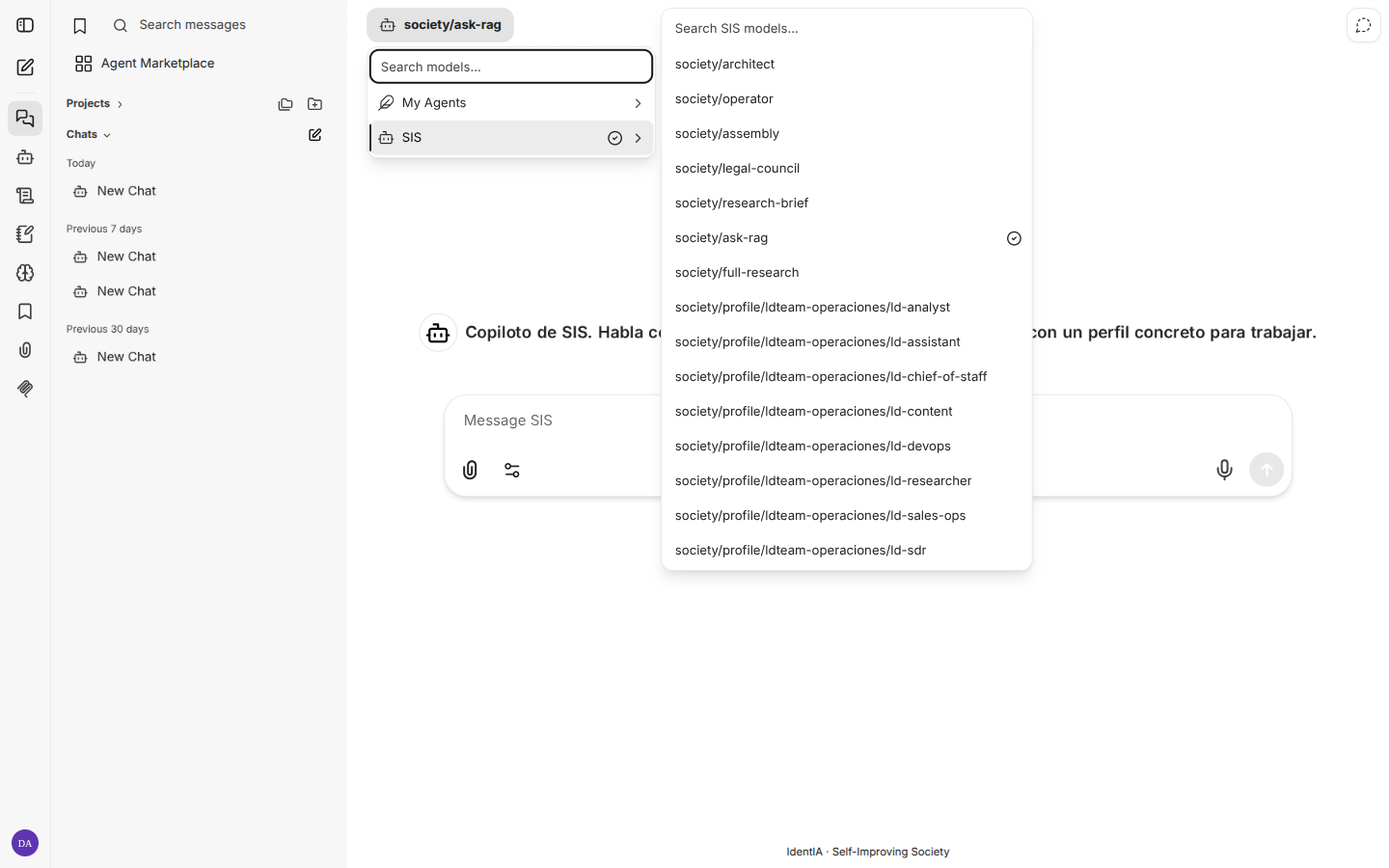
- After redirect you should see My Agents top left.
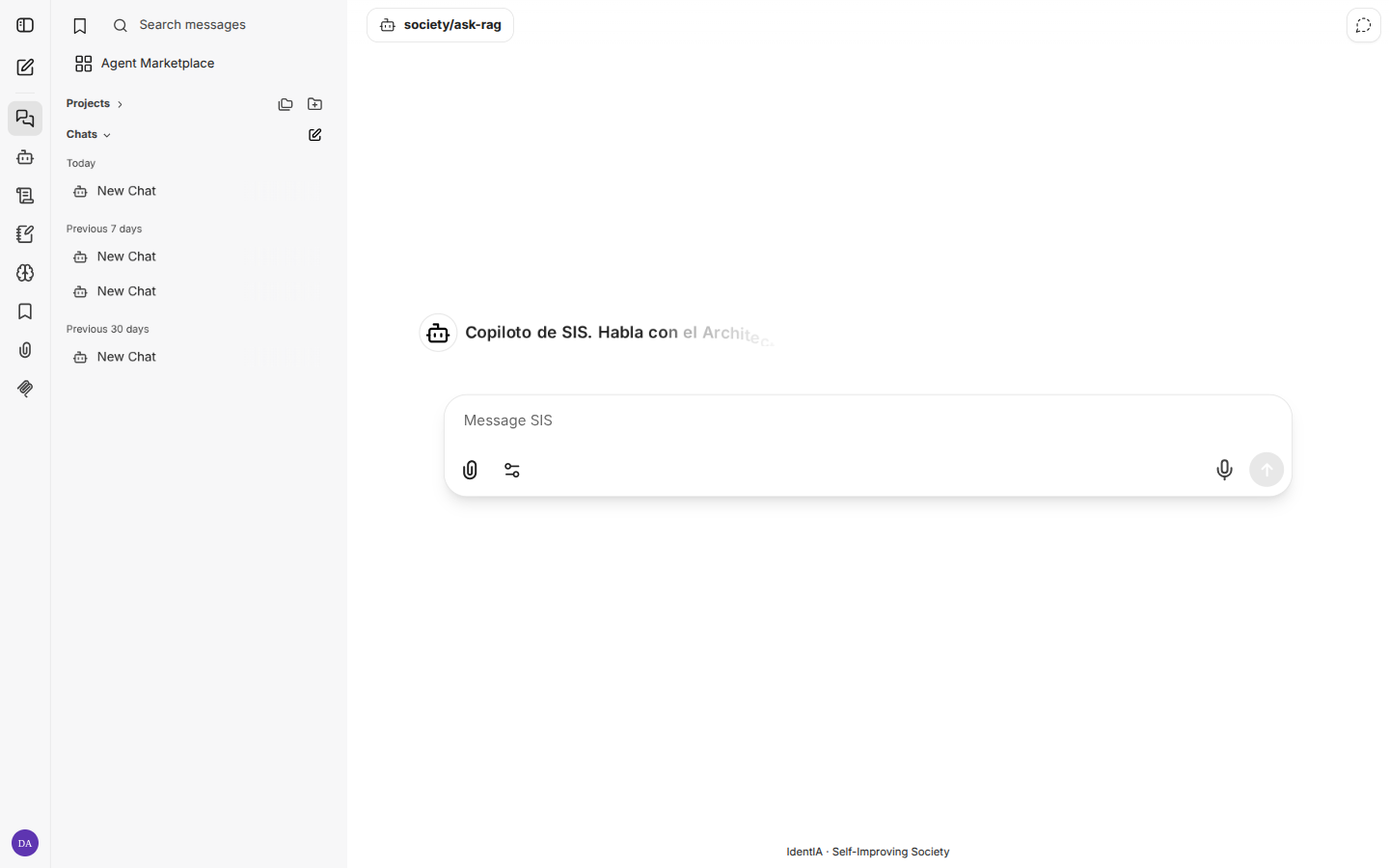
3. Pick agent and chat
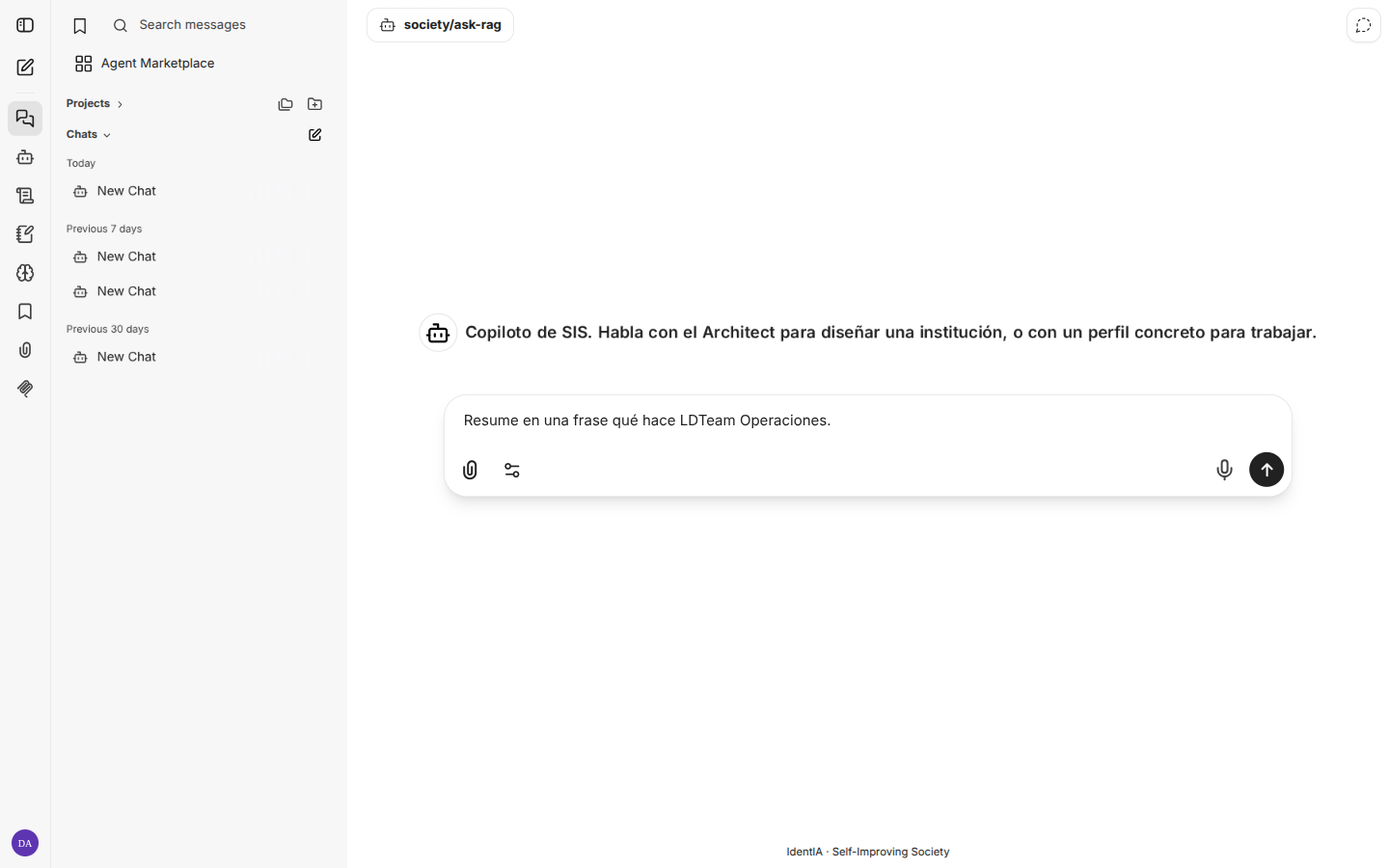
This UI does not use Search a model (that is the primary UI). Flow in three steps:
- Click My Agents (top left).
- Choose endpoint SIS (pre-wired to
society-chat). - Pick an agent, e.g.
society/ask-rag.
Until step 3 the composer may show Please select an Agent and send stays disabled.
4. Admin panel (:3081)
User lifecycle for this UI only (not OIDC nor Console → Users). On client installs, reach it via VPN/SSH; not published on the edge proxy unless explicitly decided.
When to use which UI: same gateway. The alternate UI ships SIS endpoint, history search, and a local user admin panel; the primary UI is the default copilot in Dev (:3000) but needs manual Connections setup.
Console copilot widget
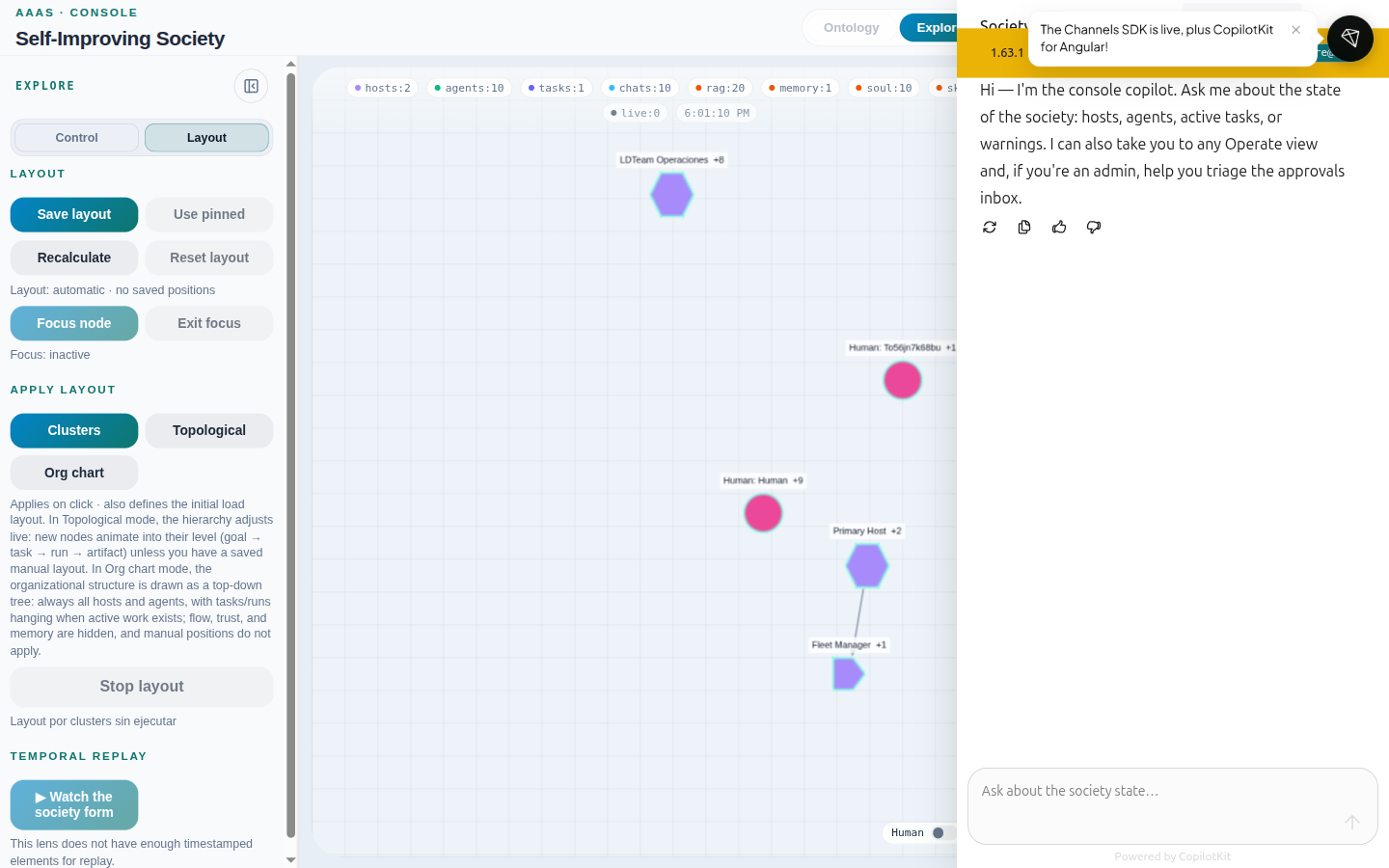
Teal bubble bottom-right in Operate and Explore — integrated copilot that:
- Reads the graph snapshot and current Operate view context.
- Answers state questions (hosts, agents, tasks, warnings).
- Can navigate to other Operate views (with permission).
- Admins: triage the Approvals queue.
Related: Operate → Sessions for society-chat threads in table form.
RAG query after ingest (E2E)
Chat does not use RAG just because corpus exists in the vector index. Two pieces are required:
- Ingest into the correct collection (RAGs).
- MCP
society_ragin the profile harness config (orask-rag/research-briefmode with env pointing at the right host/profile).
Option A — Unique code in markdown
| Step | Action | Verification |
|---|---|---|
| 1 | Ingest a .md with a unique code into the profile RAG | RAGs view: status ok; search returns the fragment |
| 2 | Confirm MCP on profile: society_rag in harness config | society profile show <profile> --host <host> via executor |
| 3 | Chat with society/profile/<host>/<profile> or society/ask-rag with SOCIETY_CHAT_RESEARCH_BRIEF_* | Response cites the ingested code |
| 4 | (Optional) Same prompt in primary conversation UI | Same citation |
Option B — PDF corpus + alternate UI + ask-rag
Legal corpus in the researcher RAG, queried via society/ask-rag (SOCIETY_CHAT_RESEARCH_BRIEF_* env).
| Step | Action | Verification |
|---|---|---|
| 1 | Copy PDF to data/rag-fixtures/ and ingest (SOCIETY_RAG_WRITE_ENABLED=true) | society rag list --profile … --host … shows chunks |
| 2 | Confirm env on society-chat | SOCIETY_CHAT_RESEARCH_BRIEF_HOST_NAME and PROFILES |
| 3 | Alternate UI: login → My Agents → SIS → society/ask-rag | Composer enabled |
| 4 | Ask about document content | Prose answer with chunk citation |
| Surface | URL | Use |
|---|---|---|
| Console widget | Bubble on :8093 | Session / snapshot context |
| Conversation Gateway | http://localhost:8094/v1 | UIs / curl |
| Primary conversation UI | http://localhost:3000 | End-user chat |
curl -sS http://127.0.0.1:8094/v1/models | jq '.data[].id' | head
What not to do
- Do not use
society/profile/<primary>/architector…/operatoron the Primary Host: curated doors aresociety/architectandsociety/operator. Raw architect chats but does not persist the SPEC. society/inventory-checkandsociety/debate-mapare retired.- CLI RAG ≠ chat RAG:
society rag listcan succeed while chat sees no corpus if MCPsociety_ragis missing on the profile.
Troubleshooting
| Symptom | Likely cause | Fix |
|---|---|---|
| Empty models in primary UI | No connection to :8094/v1 or stale key in UI DB | Settings → Connections or sync script; URL must reach society-chat from container |
| Response without RAG citations | Profile without society_rag or host/collection mismatch | Reprovision template; align host in ingest and MCP |
ask-rag answers wrong institution | SOCIETY_CHAT_RESEARCH_BRIEF_* misaligned | Recreate society-chat with correct env |
| 401 on Console copilot | Session expired | Re-login via localhost:8093 |
Regenerate screenshots (operators)
cd website
OPERAR_LOCALE=en node scripts/capture-explorar-chat.mjs
CHROME_USER_DATA=$HOME/.config/google-chrome CHROME_PROFILE=Default \
  node scripts/capture-operar-en.mjs
Output: static/img/chat/en/chat-step-*.png and static/img/operar/en/.